
Stage 3 - Dockerfile Deep Dive
A Dockerfile is not a place to paste random Linux commands. It is a recipe for building an image from a clean context. A good Dockerfile explains how the runtime is created.
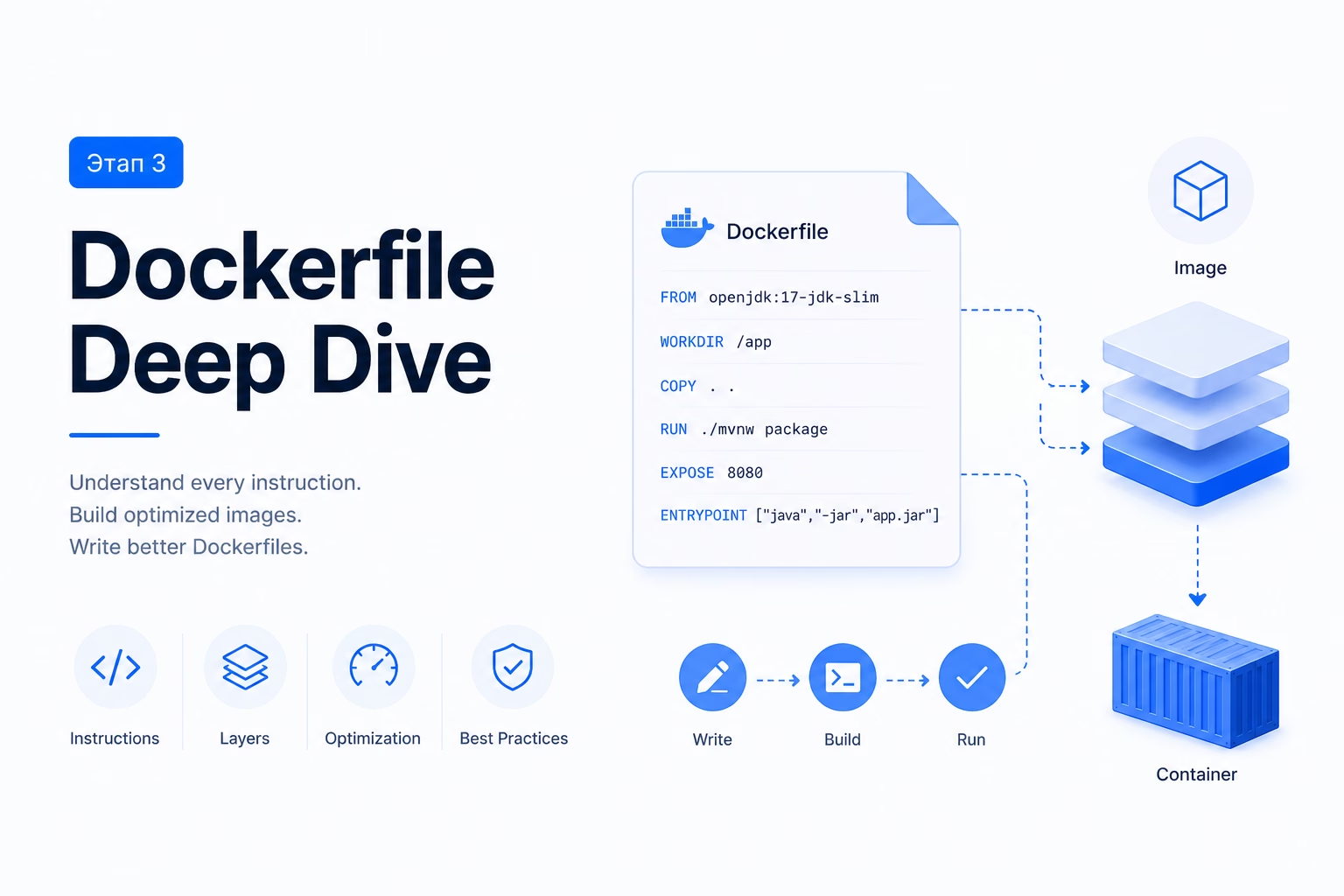
Read a Dockerfile like a recipe
FROM chooses the base image. RUN executes build-time commands. COPY moves project files into the image. WORKDIR sets the default directory. EXPOSE documents the expected port. CMD provides the default startup command.
FROM eclipse-temurin:21-jre
WORKDIR /app
COPY app.jar app.jar
EXPOSE 8080
CMD java -jar app.jar
Instructions that beginners confuse
ADD looks similar to COPY, but it has extra behavior: archive extraction and remote URL handling. Beginners should prefer COPY until they truly need those features. Predictability matters more than cleverness in Dockerfiles.
ENTRYPOINT and CMD are often confused. ENTRYPOINT makes the container act like a fixed executable. CMD is better for default arguments or a replaceable default command. ENV persists into the final image and runtime; ARG exists during build. Neither should be used to bake secrets into image layers.
Build context matters
When you run docker build ., the final dot is the build context. Docker sends that directory to the builder. The Dockerfile can copy files only from this context unless you use advanced features. This is why a Dockerfile that depends on files outside the project is fragile.
A .dockerignore file is part of a good Dockerfile workflow. It prevents unnecessary files such as build outputs, IDE folders, logs, and local secrets from entering the build context. A smaller context makes builds faster and reduces the chance of leaking files into the image.
Beginners often focus only on the visible Dockerfile instructions. In practice, the context and ignore rules are just as important because they define what the build can see.
Cache-friendly ordering
The order of Dockerfile instructions affects cache. Stable files should be copied before frequently changing files. For example, a Java build can copy dependency descriptors first, resolve dependencies, and only then copy source code.
This pattern matters because dependencies change less often than application code. If only a controller changes, Docker should not have to repeat dependency download steps. A good Dockerfile makes common changes cheap.
The same idea applies to cleanup. If package manager caches are created in one layer and cleaned in another, the earlier layer may still carry the weight. Install and cleanup should often happen in the same RUN instruction.
Where the build happens
docker build runs on the Docker host. In a beginner setup, that host is your own machine through Docker Desktop or Docker Engine. In CI, the Docker host is the CI runner. On a production server, builds should usually not happen manually; the server should pull an image that CI already built and published.
The build context is sent from your project directory to the Docker builder. This is why commands in the Dockerfile do not see your whole computer. They see only the build context and what previous Dockerfile instructions created.
A Dockerfile is therefore not a script that modifies your laptop. It creates image layers inside Docker’s build environment. If a RUN apt-get install ... appears in a Dockerfile, it installs packages into the image layer, not into your macOS, Windows, or host Linux system.
Commands to run and inspect
Run these commands in a terminal on the machine where Docker is installed. For local learning, that is your laptop terminal. For a VPS, first connect to the server with SSH, then run the commands there. Do not paste commands blindly: run one command, inspect what changed, then run the next one.
docker build -t app:dev .
docker run --rm -p 8080:8080 app:dev
docker history app:dev
Reference table
| Topic | What it means | Practical consequence |
|---|---|---|
| FROM | Base image and runtime family | Use trusted, explicit versions |
| RUN | Build-time command | Keep cache and cleanup in mind |
| COPY | Project files into image | Prefer over ADD for normal file copy |
| CMD | Default runtime command | Can be overridden by docker run |
Dockerfile review habit
Read a Dockerfile in two passes. First pass: understand the story from base image to startup command. Second pass: look for build cache problems, unnecessary packages, secrets, and files copied too early.
The common beginner mistake is making a Dockerfile that works only because the host machine already has something installed. A correct Dockerfile should build from the declared context.
Checkpoint
Continue when you can explain what each instruction changes: filesystem, metadata, build-time variable, runtime environment, or startup behavior.
Practical Dockerfile exercise
Take a Dockerfile and annotate every line with one of four labels: base, build, filesystem, or runtime. FROM is base. RUN is usually build plus filesystem. COPY is filesystem. CMD or ENTRYPOINT is runtime. If a line does not fit any label, discuss whether it belongs in the Dockerfile at all. This simple annotation exposes confusing instructions quickly.