
Stage 9 - Repositories: Storing and Distributing Artifacts
A dependency has to come from somewhere, and your own library has to be published somewhere if another project needs it. Artifact repositories solve that distribution problem.
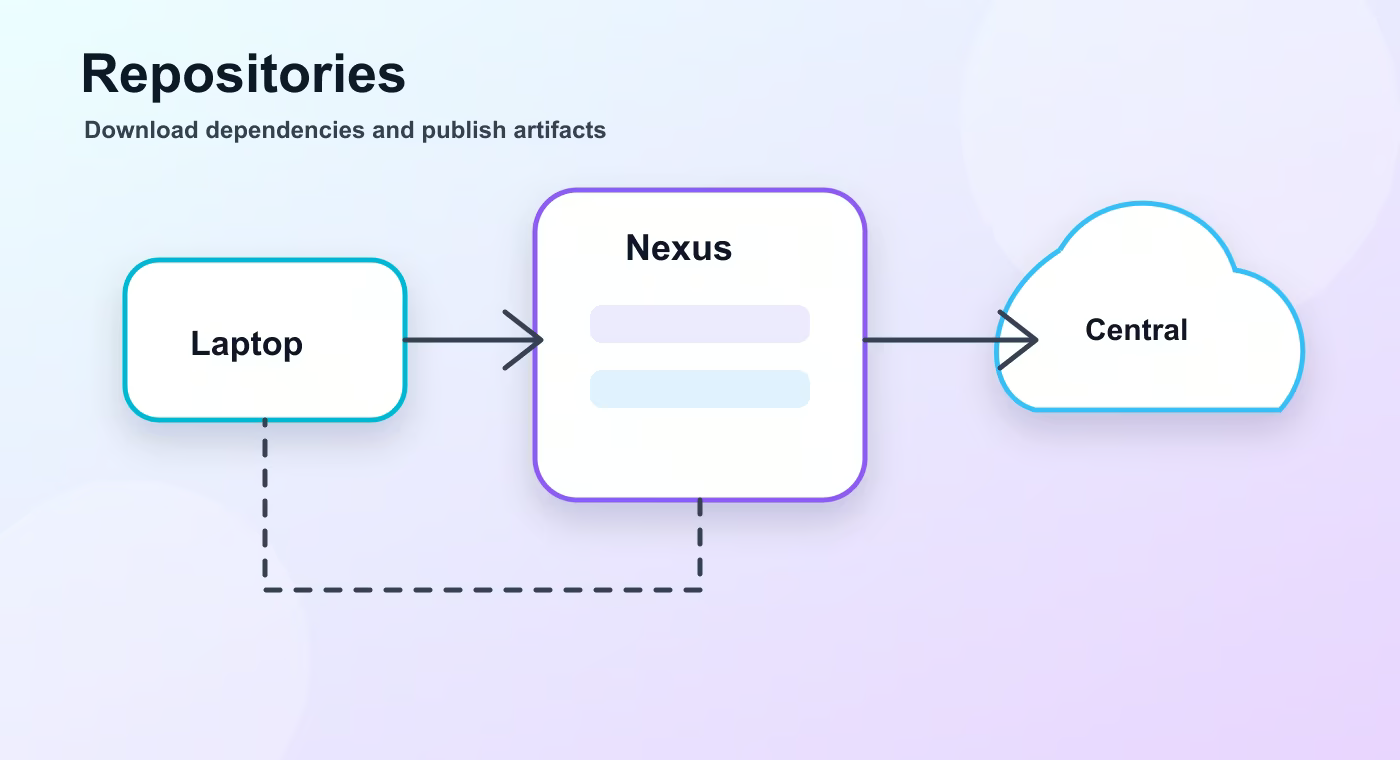
A repository is storage for build artifacts and metadata. Maven, Gradle, and other tools use repositories to download dependencies and upload artifacts.
Why this topic exists
The local Maven repository is usually ~/.m2/repository. It is a cache and a local publishing target for mvn install. Gradle has its own caches, but it can also read Maven-style repositories.
Remote repositories are network locations. Maven Central is the public repository most Java projects use. A company often adds Nexus or Artifactory to proxy public dependencies and host private artifacts.
Nexus can work as proxy, hosted, or group repository. Proxy caches artifacts from Maven Central. Hosted stores company artifacts. Group gives developers one URL that aggregates several repositories.
Artifactory provides similar repository management and often broader package ecosystem support. The exact choice depends on company infrastructure, permissions, metadata needs, and package types.
Release artifacts are immutable versions like 1.2.0. Snapshot artifacts like 1.2.1-SNAPSHOT are changing development builds. Mixing snapshots into production builds is risky because reproducibility suffers.
Build flow
- local repository.
- remote repository.
- proxy/hosted repository.
- release/snapshot artifacts.
This sequence is the mental model to keep while reading build files. The names are different in Maven and Gradle, but the practical question is the same: what input is used, what task runs, what output is produced, and where that output is stored.
Concrete example
<repositories>
  <repository>
    <id>company-releases</id>
    <url>https://nexus.example.com/repository/maven-releases</url>
  </repository>
</repositories>
Useful reference
| Concept | Meaning |
|---|---|
| Local repository | Developer machine cache, usually ~/.m2. |
| Maven Central | Public repository for open-source Java artifacts. |
| Nexus proxy | Caches artifacts from upstream repositories. |
| Nexus hosted | Stores private company artifacts. |
| Artifactory | Repository manager with broad package support. |
| Snapshot | Changing development version. |
How this is used in real projects
Treat repositories as part of the delivery chain. A clean build should be able to download dependencies from known repositories and publish artifacts with clear release or snapshot rules.
In a team setting, build knowledge is not optional theory. It affects local development, CI time, dependency upgrades, release stability, and debugging. When a Spring service fails to start after a dependency change, when CI downloads a different library version, or when an artifact cannot be deployed, the answer is usually in the build configuration, dependency graph, packaging step, or repository setup.
Common mistakes
- Copying configuration without understanding which layer of the build it affects.
- Treating a local successful build as proof that CI and production delivery will work.
- Ignoring dependency trees, generated output, and repository rules until a release fails.
- Mixing application runtime configuration with build-time configuration.
Understanding checklist
- I can explain the main terms in this article without reading the build file aloud.
- I can draw the sequence from source code to artifact for this topic.
- I can name the command or file I would inspect first during a build problem.
Self-check questions
- What problem does this build concept solve in a real Java or Spring project?
- Which file or command gives the fastest evidence when something goes wrong?
- What mistake would make the build work locally but fail in CI or another developer environment?
Practice Before the Next Lesson
Find your local Maven or Gradle cache and locate one downloaded library. Then open the build file and identify which remote repository could provide that artifact if the local cache were empty.