
Stage 3 - Dependency Management: Working with Java Libraries
A backend rarely uses only JDK classes. It uses Spring, a database driver, a JSON library, a test framework, logging, validation, and many smaller libraries pulled in indirectly.
A dependency is an external artifact your project needs to compile, run, or test. Build tools identify it by coordinates: groupId, artifactId, and version.
Why this topic exists
Coordinates must be precise because many organizations publish artifacts with similar names. groupId identifies the group or company, artifactId identifies the library, and version identifies the exact release.
Scope controls where the dependency is visible. compile or Gradle implementation is used by production code. provided is available during compilation but supplied by the runtime environment. runtime is needed only when the app runs. test is available only for tests. system points to a local file and should almost never be used.
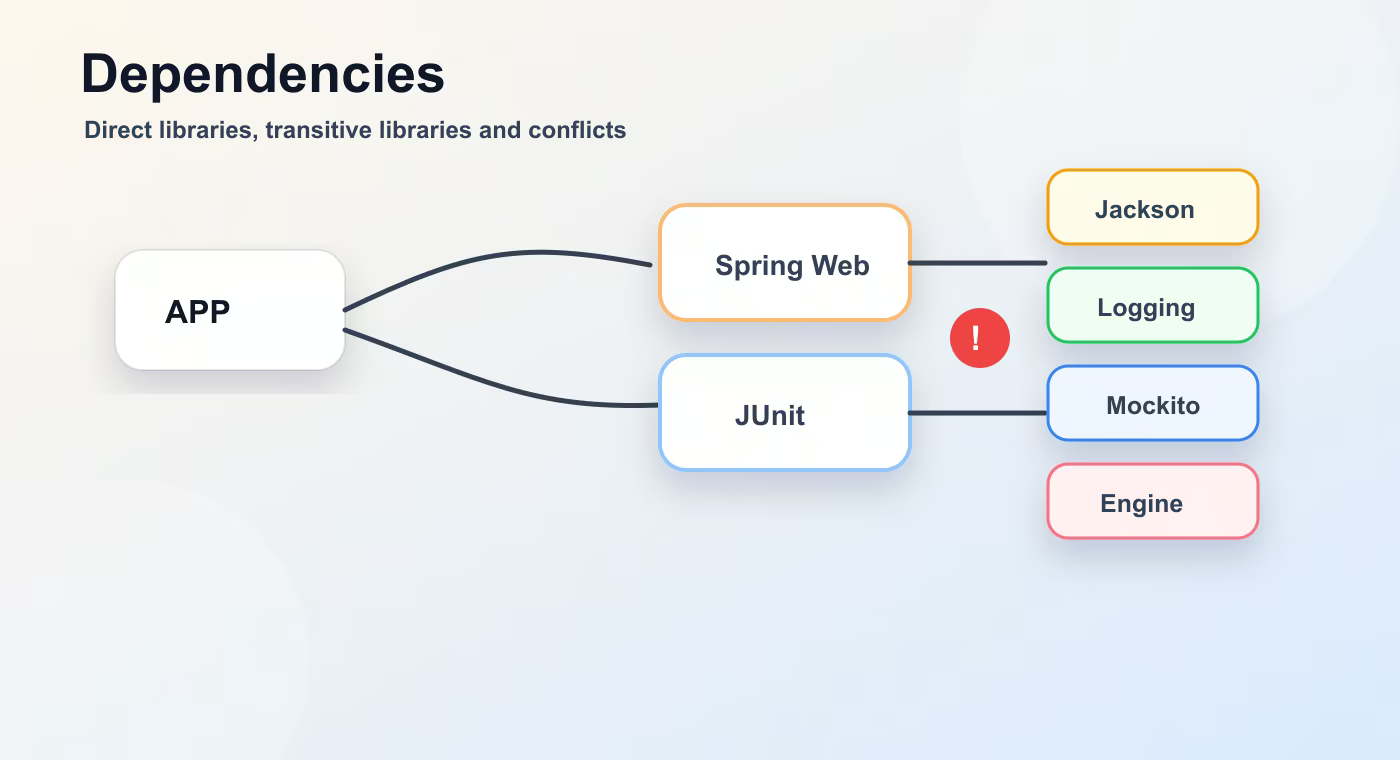
Transitive dependencies are dependencies of your dependencies. If you add Spring Web, you also get Jackson, logging libraries, validation integration, and servlet-related artifacts. This saves work, but it can also bring version conflicts.
A version conflict happens when two dependency paths request different versions of the same artifact. Build tools choose one version according to their resolution rules. You must still understand the tree because the chosen version may break runtime behavior.
Exclusions remove unwanted transitive dependencies. Version ranges allow flexible versions, but they reduce reproducibility and are usually avoided in application builds.
Build flow
- coordinates.
- scopes.
- transitive dependencies.
- conflict resolution.
- dependency tree.
This sequence is the mental model to keep while reading build files. The names are different in Maven and Gradle, but the practical question is the same: what input is used, what task runs, what output is produced, and where that output is stored.
Concrete example
<dependency>
  <groupId>org.postgresql</groupId>
  <artifactId>postgresql</artifactId>
  <version>42.7.4</version>
  <scope>runtime</scope>
</dependency>
Useful reference
| Concept | Meaning |
|---|---|
| compile / implementation | Needed by production code. |
| provided | Needed to compile, supplied by server/runtime. |
| runtime | Needed when the app starts, not for compilation. |
| test | Needed only for test code. |
| system | Local file dependency; avoid in normal projects. |
How this is used in real projects
The best habit is to inspect the dependency tree before guessing. In Maven use mvn dependency:tree; in Gradle use ./gradlew dependencies or dependencyInsight.
In a team setting, build knowledge is not optional theory. It affects local development, CI time, dependency upgrades, release stability, and debugging. When a Spring service fails to start after a dependency change, when CI downloads a different library version, or when an artifact cannot be deployed, the answer is usually in the build configuration, dependency graph, packaging step, or repository setup.
Common mistakes
- Copying configuration without understanding which layer of the build it affects.
- Treating a local successful build as proof that CI and production delivery will work.
- Ignoring dependency trees, generated output, and repository rules until a release fails.
- Mixing application runtime configuration with build-time configuration.
Understanding checklist
- I can explain the main terms in this article without reading the build file aloud.
- I can draw the sequence from source code to artifact for this topic.
- I can name the command or file I would inspect first during a build problem.
Self-check questions
- What problem does this build concept solve in a real Java or Spring project?
- Which file or command gives the fastest evidence when something goes wrong?
- What mistake would make the build work locally but fail in CI or another developer environment?
Practice Before the Next Lesson
Pick any dependency in a Java project and inspect its dependency tree. Mark one direct dependency and two transitive dependencies. Then find one version number that is not written directly in your build file and explain where it came from.